Top
Week 9
2.18 Understand the purpose of remote access and its application within digital support
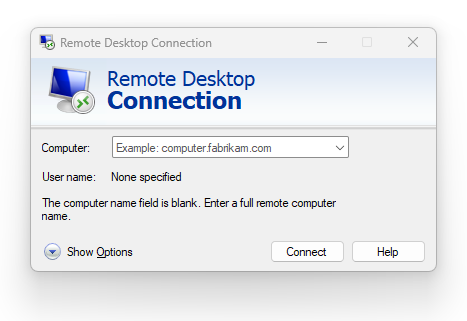
• Purpose:
o facilitates work from a remote location using network resources as if connected to a physical network or a choice of multiple networks (for example, facilitates working from home due to office closure as part of a BCP).
• Applications:
o desktop sharing
o remote support (for example, fault diagnosis, remote correction of user issues)
o off-site working.
2.19 Understand the role and configuration factors of a VPN in securing remote access and remote support to protect data
• Role:
o encrypts network traffic
o masks IP address to increase privacy.
• Configuration factors:
o settings
o client configurations
o server configurations
o port and security protocols (for example, TLS, SSL)
o encryption setting and certificates
o authentication.
2.20 Understand the process of configuring a simple VPN
• Configuration of the VPN server:
o enabling the VPN service
o configuring IP address and DNS hostnames of the VPN interface
o managing user access including authentication and permissions.
• Configuration of the client device:
o creating the connection
o setting the destination IP address and fully qualified domain name (FQDN)
o setting permissions and conditions.
Last Updated
2026-07-13 15:28:10
English and Maths
English
Maths
Stretch and Challenge
Stretch and Challenge
Homework
Homework
Equality and Diversity Calendar
How to's
How to's Coverage
Links to Learning Outcomes |
Links to Assessment Criteria |
|
|---|---|---|
Files that support this week
→
Next ←
Prev