Top
Week 10
Exam Preparation and Walk through
The Paper
What to Expect
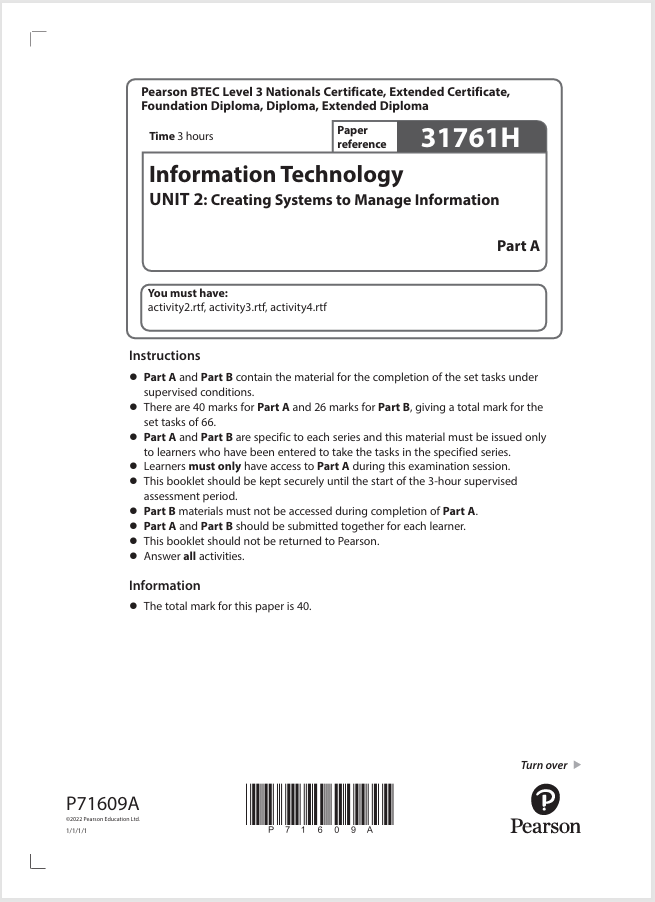
The unit 2 database paper is split over 2 papers, Paper A, and Paper B. The papers carry 40 (paper a) and 26 (paper b) marks, for a total mark value of 66 marks
The grading of these papers and the awarded grading changes from series to series of papers and inline with the national averages.
The Grades available are, Distinction, Merit, Pass and Near Pass.
Paper Content
The papers focus on seperate areas of the Creating Systems to Manage Information specification, with final evaluative components. Within the Paper A the following criteria are assessed.
- Data Normalisation,
- Table Creation and Relationships,
- Querys,
- Reports,
- Testing,
- Evaluation.
Within the Paper B the following criteria are assessed;
- Forms,
- Querys,
- Reports,
- Testing,
- Evaluation.
Evidence
The generation of evidence to achieve the marks requires careful consideration as the structure and naming conventions are explicitly laid out in the exam paper. The exam as discussed earlier is in two papers, of which is sent of to the awarding body in a single submission. Therefore we must make sure that we follow the guidance to do the following.
In Paper A you will be expected to generate 6 documents these will need to be saved in to a folder that is named in the following way;
[Center Number]_[BTEC Registration Number]_[Surname]_[First letter of first name]_PartA
so for example
12345_F5588992_Smith_J_PartA
Inside of this folder we will place the files that we create during the exam, some of these files will be provided for you these will be;
- activity2.rtf
- activity3.rtf
- activity4.rtf
You may notice that there is no template files provided for activity 1 and 5, YOU will be required to create these.
Once the files have been used/completed/worked on they will need to be saved. You should save these initially as word documents untill the work is to the point where you are happy to make it as your final submission. At this point you will need to save it as a PDF.
There are a number of ways in which you can save your work as a PDF, (We will not cover all, however the following is the most simple process).
Once the work is to its final complete status, select from the File menu in the app, Print.
Once in the Print dialogue area select the drop down for the printer and select the option to print to PDF
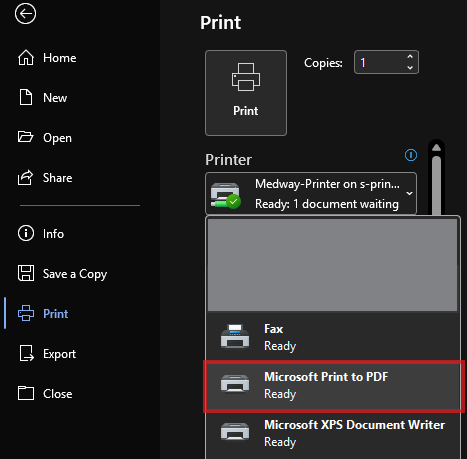
Once selected click on the print buttong and this will then open the normal save dialogue box that will allow you to save the document in to you selected area.
You must name the file in the following naming format;
activity1_[Registration number #]_[surname]_[first letter of first name]
so for example
activity1_F5588992_Smith_J
Duration
The two exams do not have the same amount of time allocated to them, Paper A is allocated 3 hours, where as Paper B is allocated 2 hours. The time is not broken down to complete the tasks inside of the paper, however there are recommendations to a suggested amount of time to spend on the questions is provided. If you find that you complete a task quicker then move on to the next question, or if you need to spend more time on a question then you are able to do so.
Last Updated
2026-10-07 08:54:05
English and Maths
English
Maths
Stretch and Challenge
Stretch and Challenge
Homework
Homework
Equality and Diversity Calendar
How to's
How to's Coverage
Links to Learning Outcomes |
Links to Assessment Criteria |
|
|---|---|---|
Files that support this week
→
Next ←
Prev